Mobile collection filters on Allbirds and The Sill
Follow a shoe-size filter and a low-light plant filter from the first tap to the results, then clear each choice. Captured November 24, 2026 at 390 × 844 pixels.
Allbirds: find men’s shoes in size 9
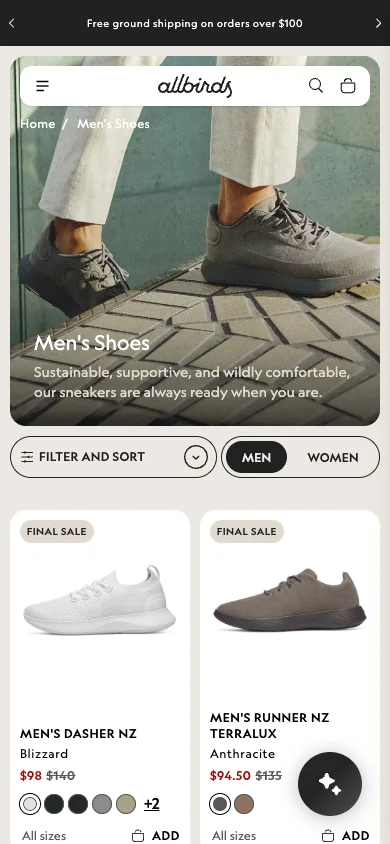
Entry pointOn Men’s Shoes, Filter and Sort sits between the collection image and the first pair of products. 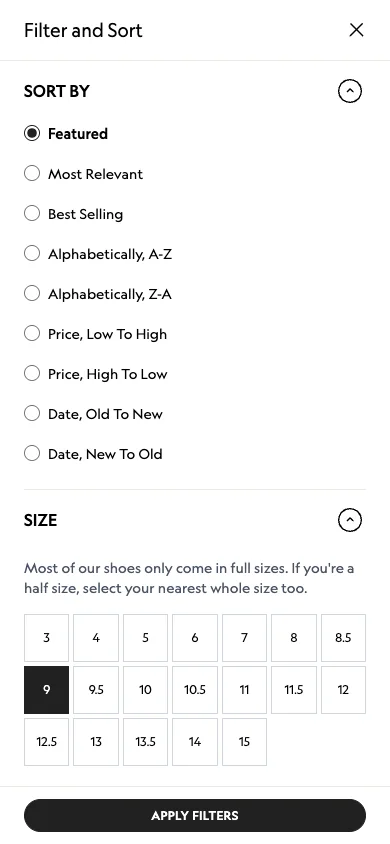
Filter controlsOpen Size, tap 9, then Apply Filters. Sort and size share one drawer. 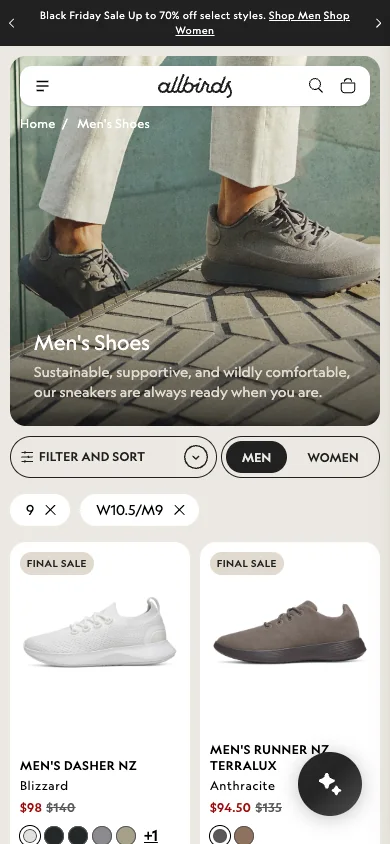
ResultsThe results show two removable chips, 9 and W10.5/M9. Tap each chip to return to the unfiltered list; removing 9 alone leaves the equivalent size selected.
The Sill: find plants for low light
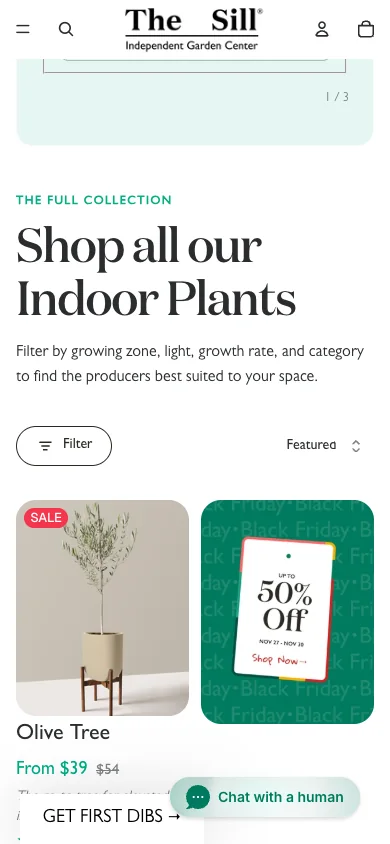
Entry pointScroll to the product list on Live Plants. Filter sits beside the separate Featured sort control. 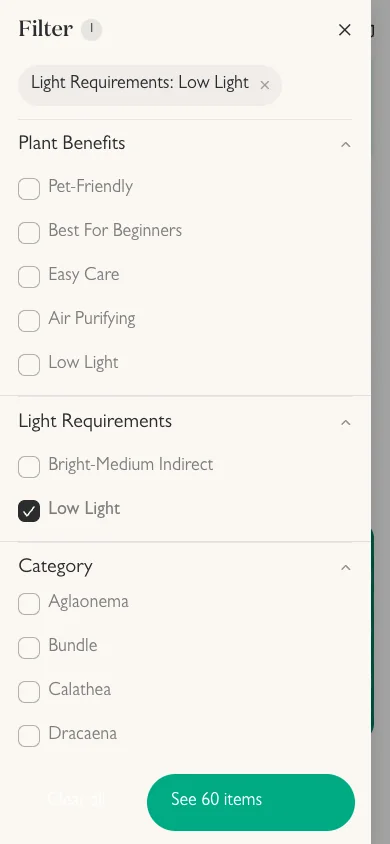
Filter controlsOpen Light Requirements and choose Low Light. The drawer updates from See 325 items to See 60 items. Tap that button to return to the plants. 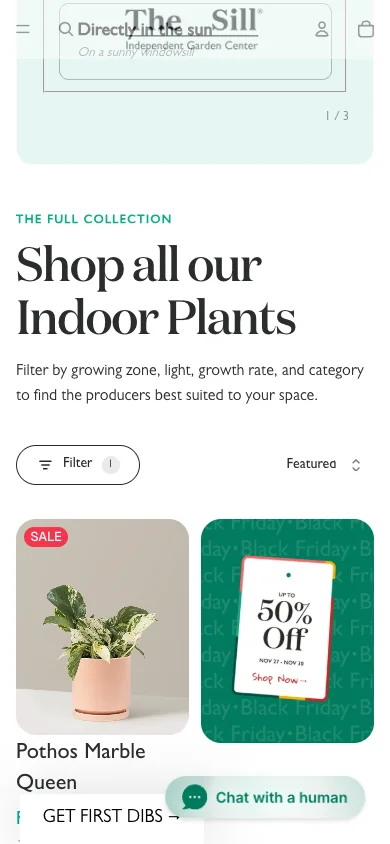
ResultsThe list shows a 1 beside Filter. Reopen the drawer to read the chosen light requirement, then tap Clear all. The count returns to 325.
Choose the label before drawing the drawer
Size is a short, familiar question for a shoe shopper. A plant shopper needs the more specific Light Requirements to distinguish it from Plant Benefits. Give the active choice room on the results page when shoppers need to verify or undo it quickly.